


A Guide to the Legislature’s Redesigned Website
Heather Braum | August 19, 2026
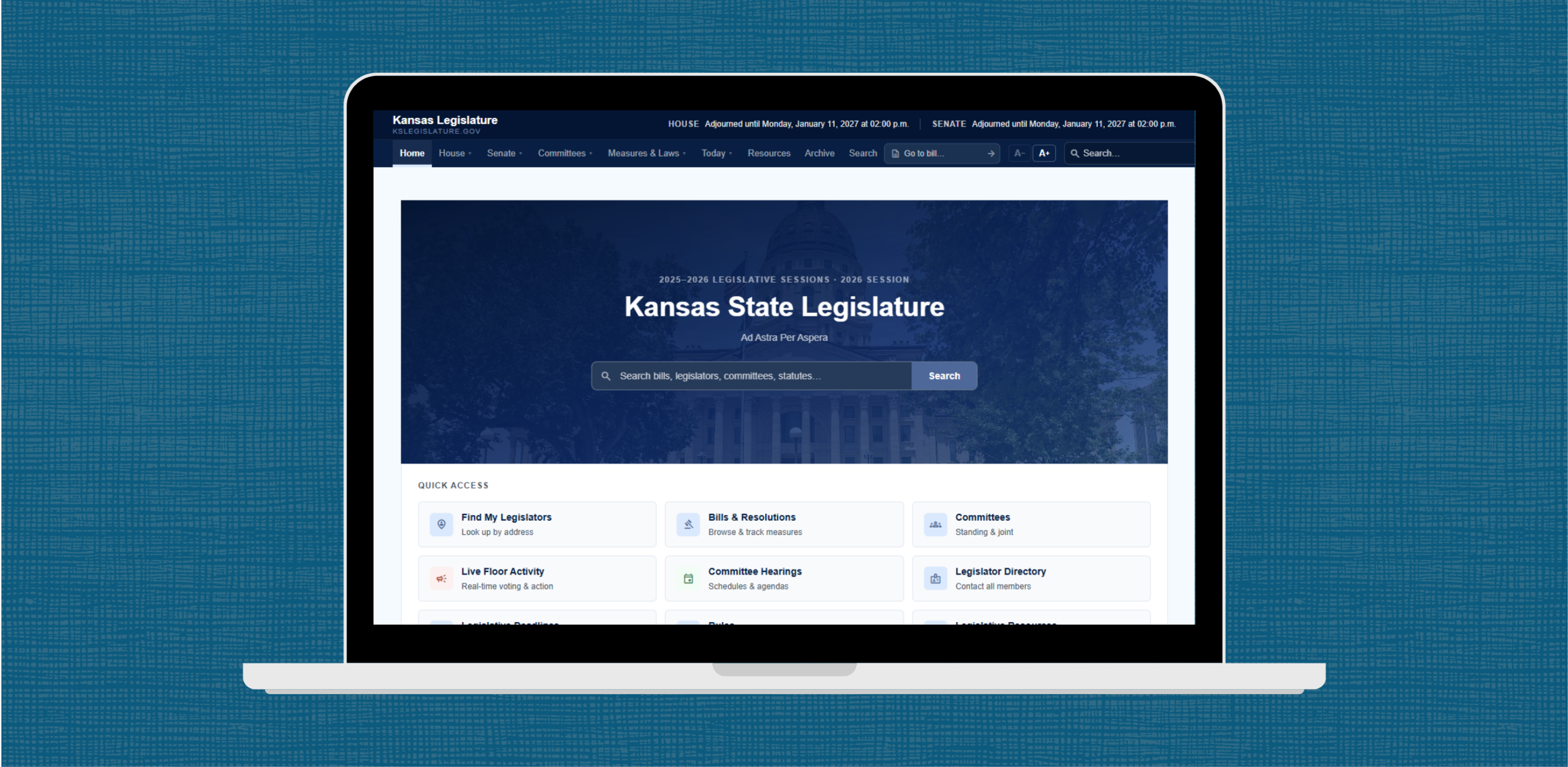
In spring 2026, the Kansas Legislature website was redesigned. The new system seems to be more responsive and ADA-compliant. Visitors should experience a much more visually pleasing and easier-to-utilize website thanks to more straightforward navigation.
Here’s a quick overview of the redesigned website, including new features that will make it easier for advocates to stay in the know during the legislative session.
Home Page, Key Navigation, and Searching
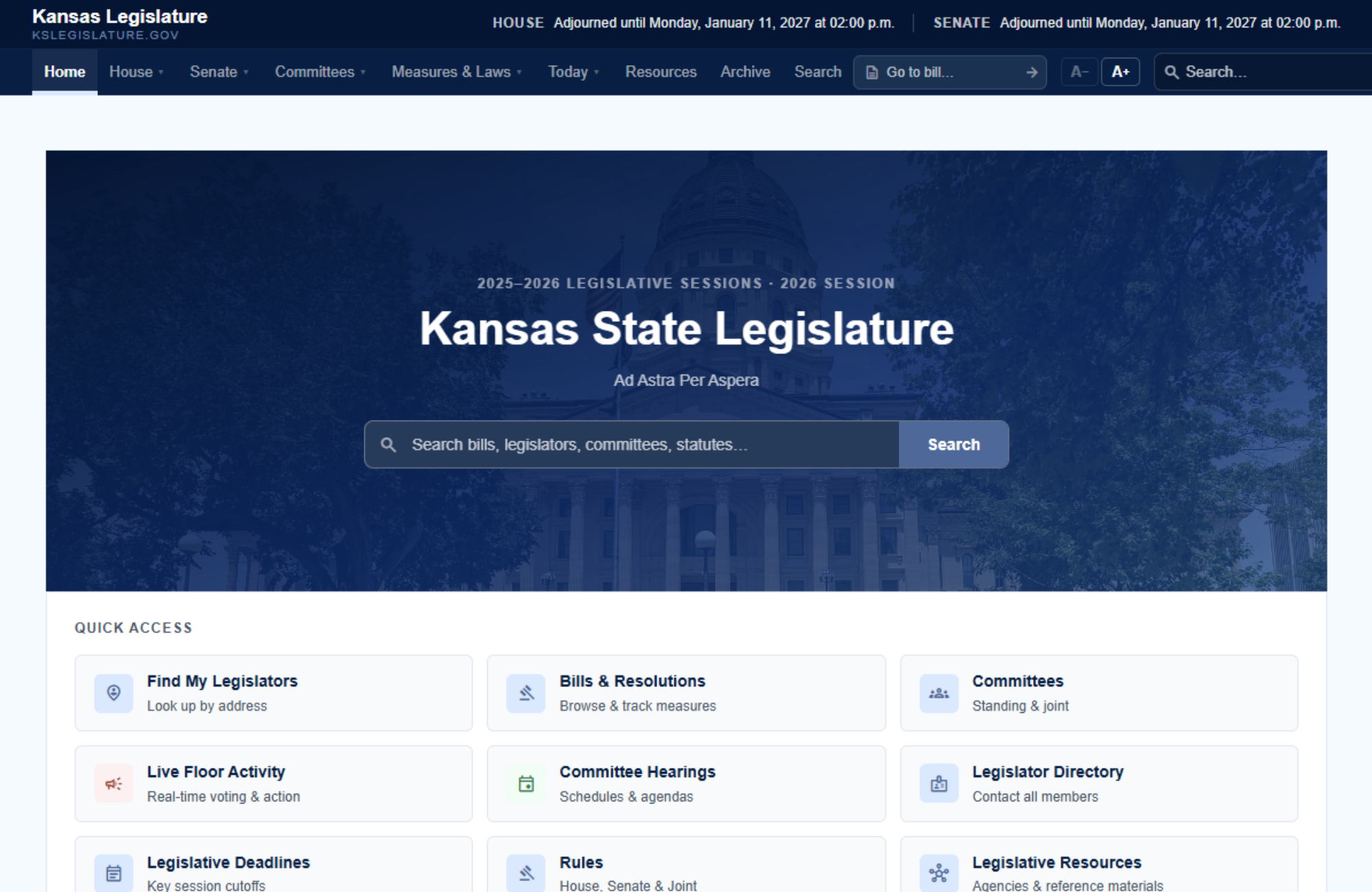
The new iteration of the homepage features Quick Access options that are most useful to site visitors, including Find My Legislators, Bills, Committees, and Live Floor Activity. Committee hearing schedules are also now prominently featured on the homepage.
But the best part of the new homepage is the search box in the center, where visitors can search for bill numbers, lawmakers, committees, and phrases in bills from one easy-to-find place. Search results are also filterable and sortable on the results screen. 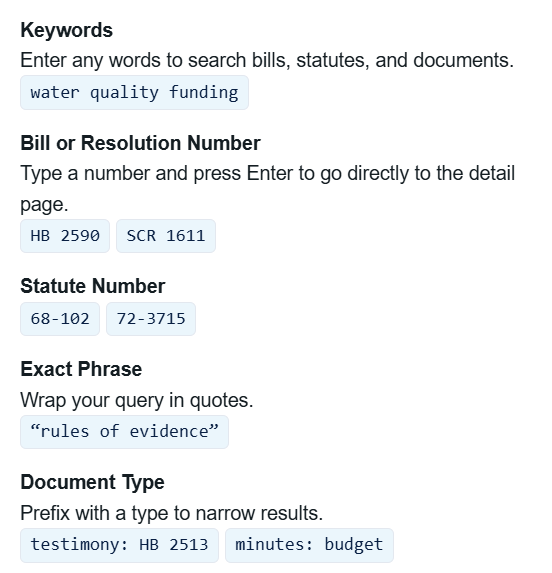
The search capability is also easily available at the top of any page, with both a bill search option and a full-site search box available. The site provides new options for searching for certain items. For instance, one search method allows for finding a specific bill’s testimony using the search terms “testimony: SB 363,” and then choosing the “documents” filter.
In the bottom right corner of the Homepage, an “Upcoming Hearings” calendar box is prominently displayed. Once the calendar has had a chance to be populated with hearing information when the 2027 session begins, it’ll become clearer how much of a reliable source of information it’ll be for advocates tracking certain bills. The hope is that it will provide a single place to see what’s on committees’ agendas for the coming week.
Committee Pages
The Committees page has been completely overhauled, beginning with the way committees are grouped together, which are sectioned out in different tabs by committee type.
Individual committee pages were also significantly re-designed. Let’s look at the 2025-2026 House Health and Human Services committee page as an example.
The House Health and Humans Services Committee page has important details about the committee at the top, including the committee assistant’s name and phone number, meeting time and location details, the committee’s email address, and details about requesting committee agendas or testimony submission. Click on Agendas, Minutes & Testimony to access committee documents, which are now broken out into Weekly Agendas, Minutes, Testimony, Early Release Testimony, and Other Documents (typically committee rules) tabs. These sections are often further organized by meeting date.
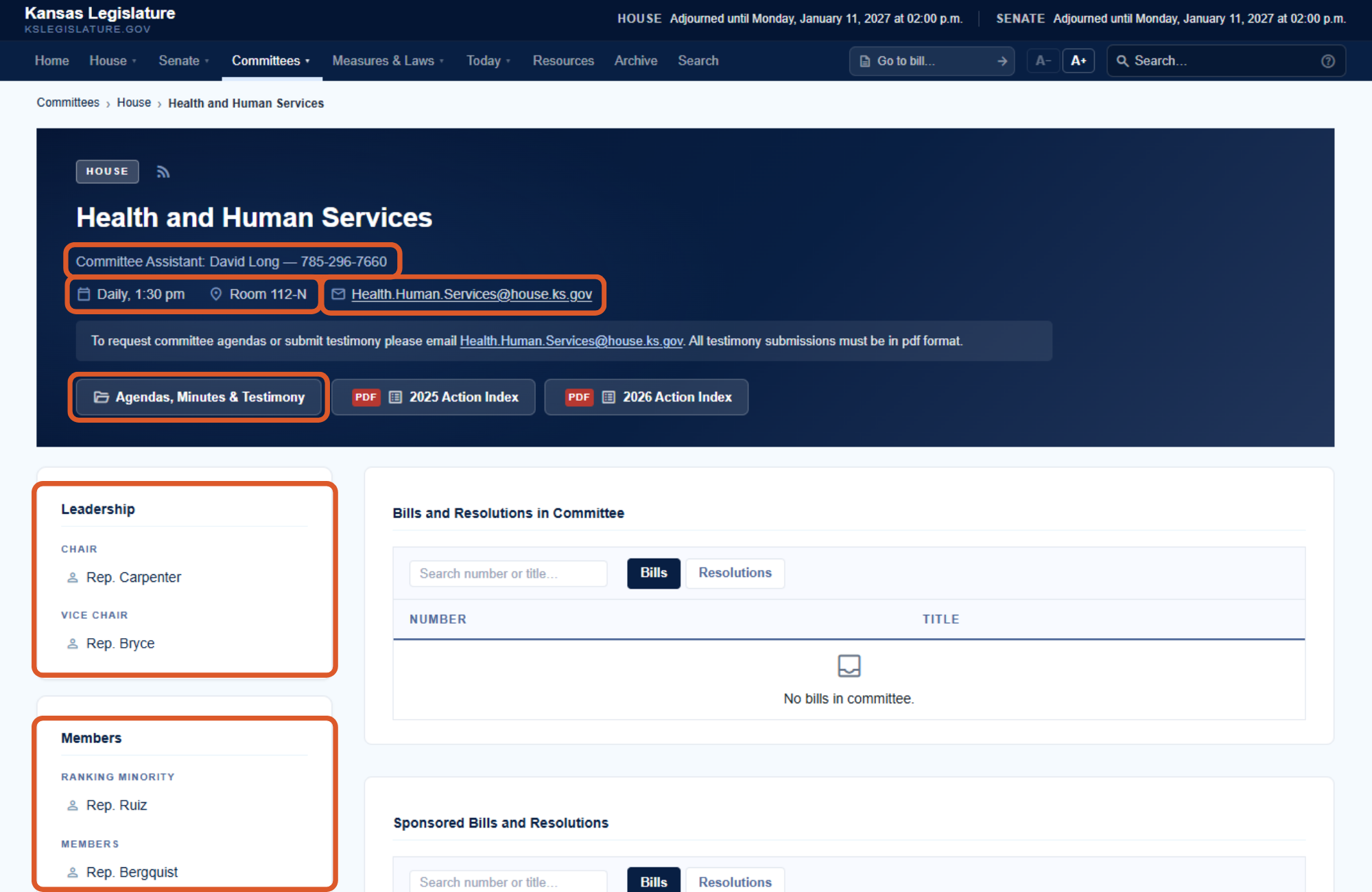
Under the header information is the list of committee leaders and members, committee staff, and bills sitting in the committee or sponsored by the committee. On a computer, hovering over a lawmaker’s name reveals their photo, chamber, party, district number, and county. Click on a name to access their profile directly.
Lawmaker Information
As with the old website, the lists of lawmakers can be found in the navigation through the House and Senate tabs at the top of the page. But with the redesigned site, these lists are now filterable by party affiliation.
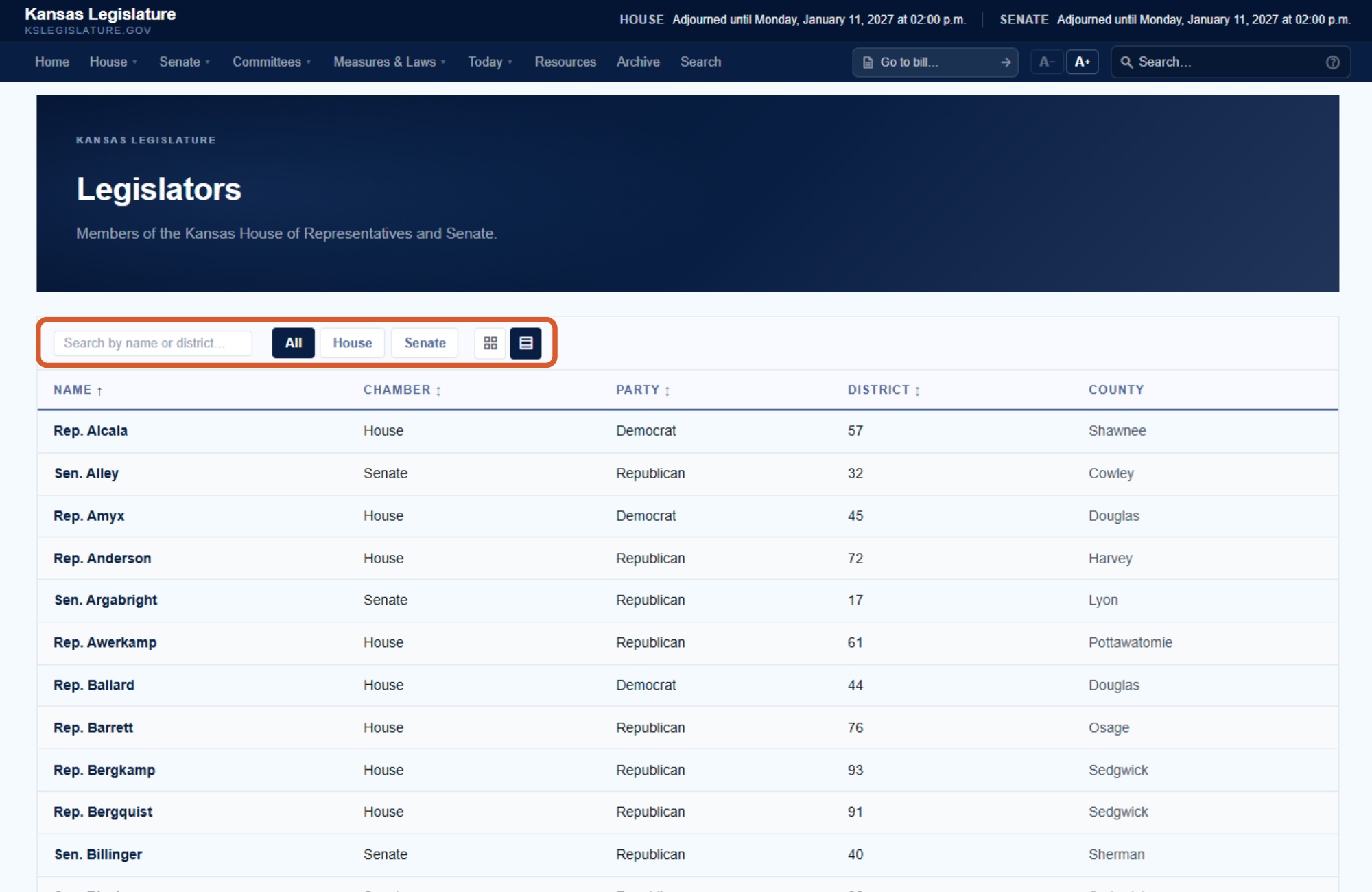
To find a lawmaker, search for them by name from the homepage or go to the Senate or House members page. Using Rep. Waymaster as an example, type “Waymaster” into the “Search by name or district…” box, and then click on his name in the filtered results. The same method works for the Senate member list.
To view a lawmaker’s page, click on their name in the results.
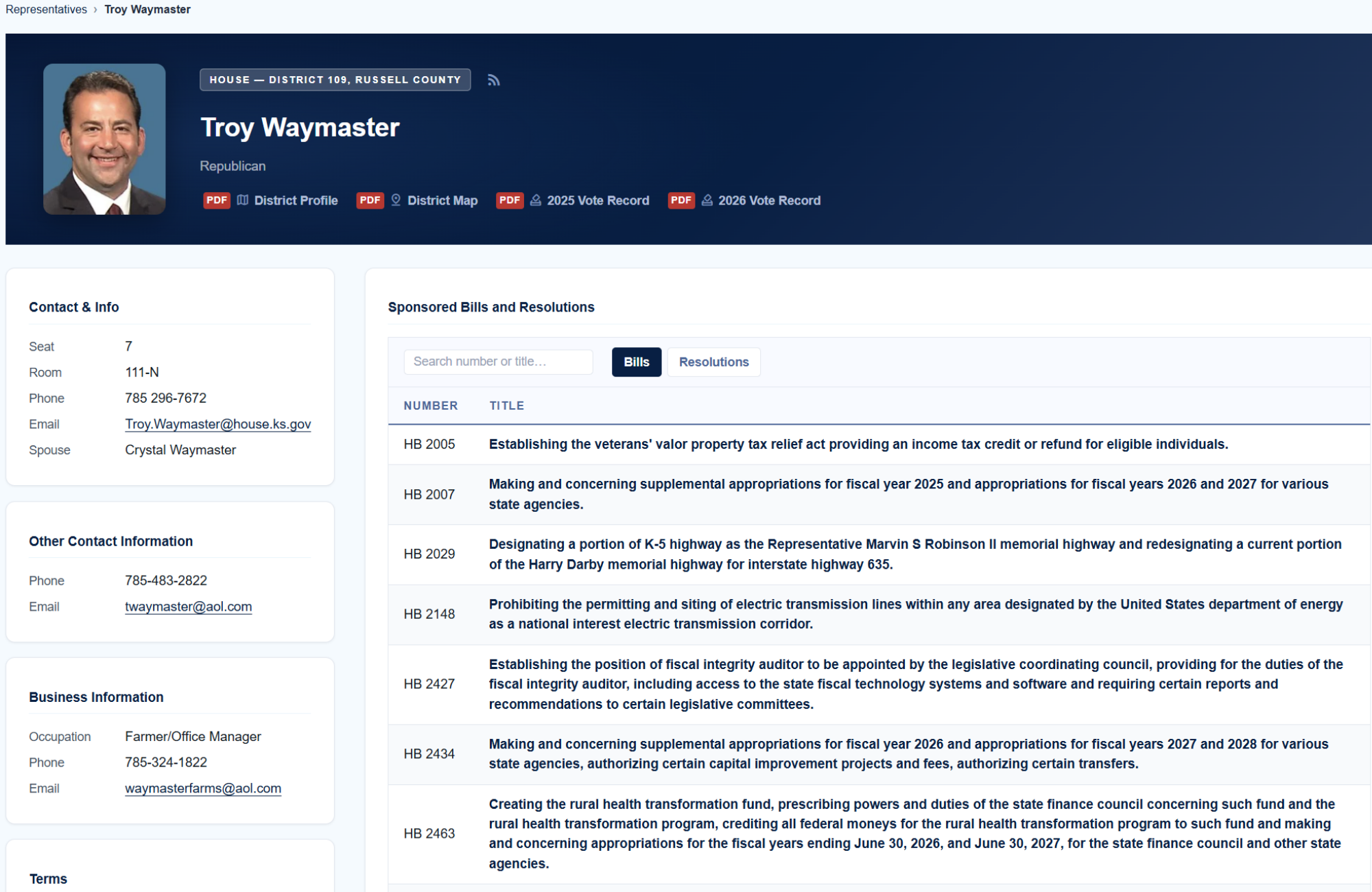
Rep. Waymaster’s page displays information about his legislative district, voting record, contact information, business information, legislation he has sponsored, length of legislative service, and the committees he has leadership roles or is a member of in the current biennium.
Bills
Bill pages have also been completely overhauled, including making it clearer about where a bill is in the legislative process.
There are multiple options to navigate to specific bill pages. Here are a few options:
- Utilize the “Go to Bill” search at the top-right of any page and enter in the bill number.
- Use the search box on the home page and search by bill number, words, or phrase in the bill.
- On the main page, click the “Bills & Resolutions” quick access option, then browse or use the page’s search function to find the bill.
- From any page, click on the Measures & Laws navigation menu, then choose All Measures, House Measures, or Senate Measures.
On a bill’s page (using 2025-2026’s SB 271 in this example), the bill’s status and progress are prominently featured. Versions of the bill and accompanying documents are listed, and a new comparison feature is available that allows users to easily compare different bill iterations. In the “Legislative History” section of this page, the steps a bill has gone through are still available like the old website, but now can be filtered based on the type of legislative step, including votes, amendments, and hearings. Testimony for the bill is more easily available at the bottom of a bill page.

Much more information about the bill is listed on this page than in the past. On the far-right of a bill page, additional descriptive information appears, including who requested the bill, key subjects, connected bills, sponsoring committees, statutes involved, and the bill’s effective date.
Floor Activity, Today Feature

When the Legislature is in session, the “Today” area of the website (also accessible through the Homepage’s “Live Floor Activity” quick access button) will become quite useful for tracking daily floor activity for both chambers. Events that occur on the floor will be displayed and also broken out into groups. General Orders lists (the bills scheduled for debate) will be prominently displayed each day on this page, instead of in a PDF calendar. Also, the different video and audio options for listening or watching a committee meeting or floor proceeding are located under the Today menu. House Video or Senate Video displays the current floor action, if live. Statehouse Live & Archive or YouTube Channel bring up the Legislature’s video/audio libraries available on two different platforms, with access to all legislative meetings, both live and archived.
Other Sections of Website
Other content for the Legislature is available throughout the website’s top navigation menus and down at the bottom of all pages, including supportive information like the daily calendars, chamber rules, Kansas law, and legislative resources. As website visitors become comfortable using the overhauled website, more helpful sections will be identified and found.
More Transparency and Support for Kansans Who Track the Legislature
The new website makes the Kansas legislative process more transparent through several new features, like where bills are at in the legislative process, a hearing calendar, and easier-to-access committee information and documents. While there is much more likely to be discovered once the 2027 session convenes in January, we hope this brief tour helps Kansans better understand the Kansas Legislature and where to find information that matters to their advocacy efforts.
Share

